HR, payroll and hiring for a VA team VA Management Console
The app our own virtual assistant team uses for hiring a new assistant, assigning tasks, tracking hours and running payroll.
The assessment is free, with no commitment. You answer about 15 questions and pick a time, or call +1 908 357 7801.
About VA Management Console
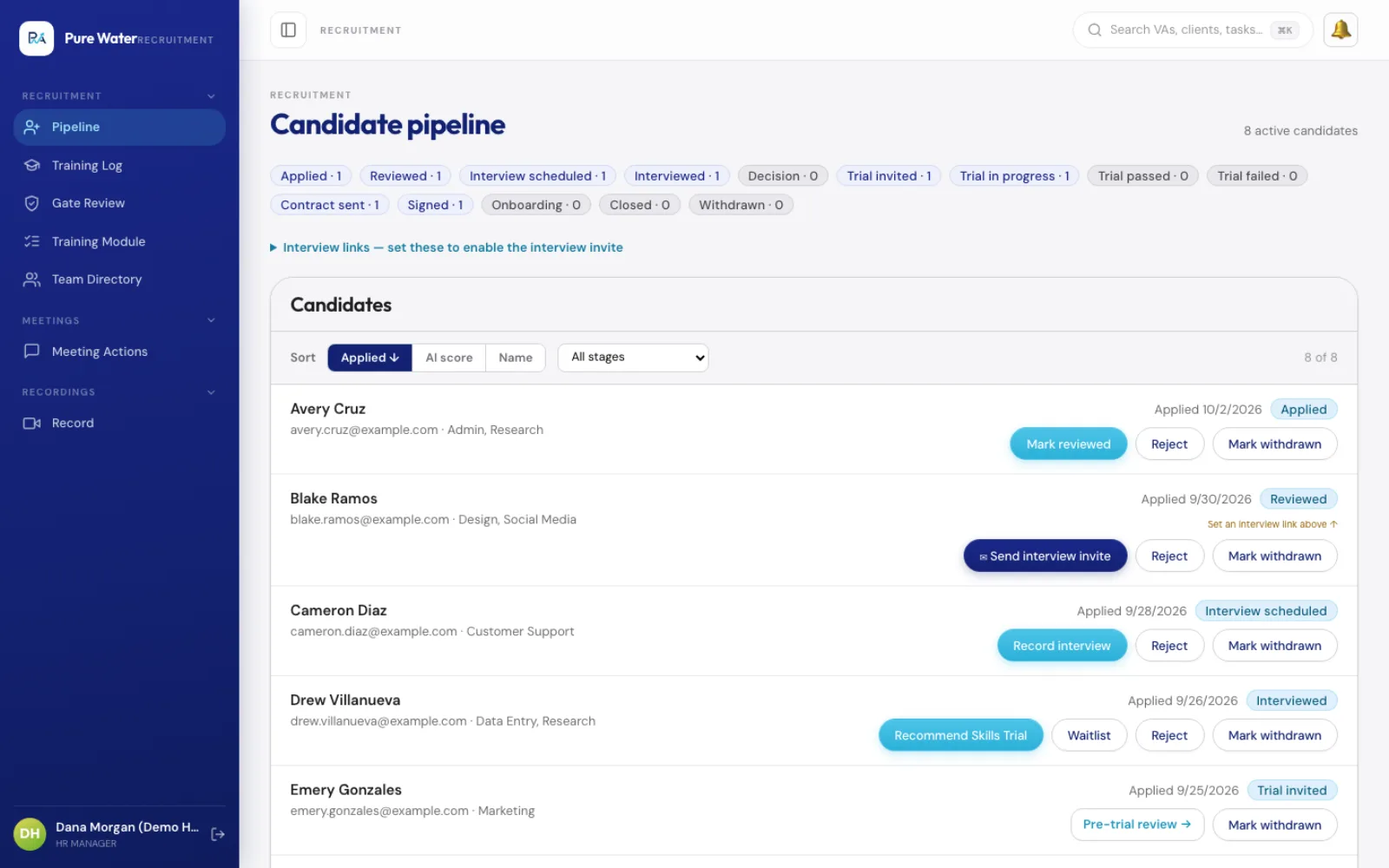
Our assistants, managers and bookkeeper run hiring, tasks, hours and payroll in the VA Management Console, a web app Pure Water Automations built for its own team. It also covers profiles and pay tiers, screen recordings and a client portal. Access depends on each person's role, and every change is logged.
Why we built VA Management Console
Pure Water's team used to run on a system of custom scripts built on a 16-tab Google Sheet. Pages were slow to open, a single read from the sheet could take about four seconds, and the hiring steps had bugs, including records saved to the wrong tab.
How VA Management Console works
We moved the records into a database and kept a Google Sheet copy that refreshes every 30 minutes, so anyone used to checking the sheet still can. Changes happen in the app, and nobody edits the copy. The old system was kept running as a backup.
Each person signs in with their Google account and lands on the screens for their role. HR opens to one queue of decisions. Recruiters move applicants through each hiring stage. The bookkeeper reviews and closes each pay period, using the hours pulled in from the time tracker. Assistants see their own tasks, their progress toward the next pay tier and their monthly check-in.
Every day the console pulls in hours from the team's time tracker, checks who has logged enough hours to be reviewed for the next pay tier and flags anyone over or under their target hours. After a recorded Zoom meeting, it suggests tasks from the transcript, and a team member who can assign work adds or skips each one before anyone is assigned. Team members who hand out work, such as managers and senior assistants, can also connect an AI assistant such as ChatGPT or Claude by signing in with Google and approving it. The assistant can then create and update projects and tasks as that person, limited to what they are allowed to do.
What VA Management Console does
One queue for HR decisions
Tier reviews, evaluations and alerts about anyone with too much or too little work wait in one list on the HR home screen.
Hiring in one pipeline
Applicants move from application through an interview and a trial, and the history of each step is kept. A person on the hiring team decides each step.
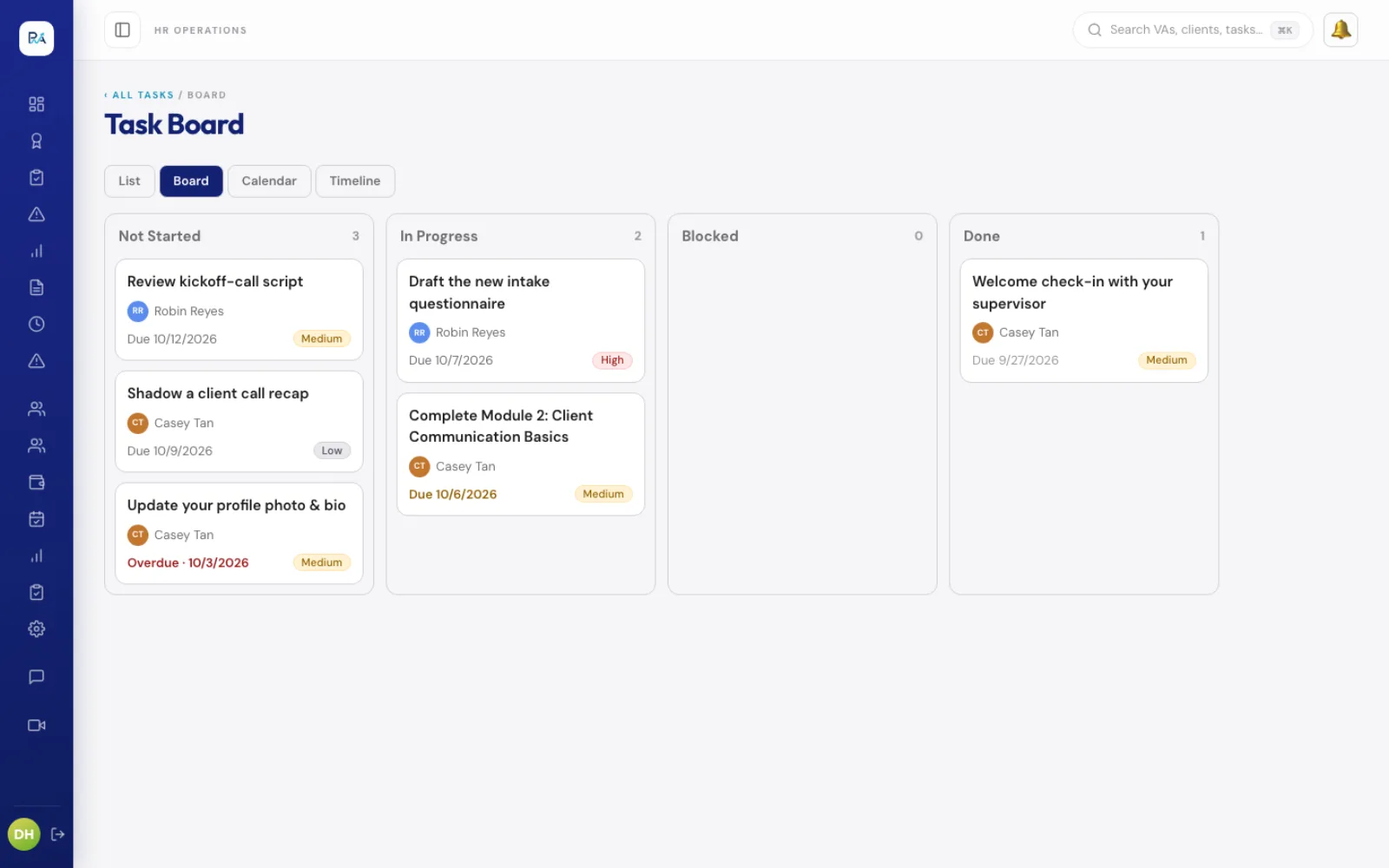
Tasks with an owner and a due date
Assign work and follow it on a list, board, calendar or timeline. Open tasks can also wait in a shared pool, where an assistant asks to take one and a manager approves.
Payroll from tracked hours
Hours come in from the time tracker every day, and the console works out each pay period's payroll for the bookkeeper to review and close.
Screen recordings with transcripts
Record your screen and share a link, including with a client. Each recording gets a transcript, a summary and a list of suggested action items.
A portal for clients
Clients sign in to a portal that shows only their own organization's work, and screen recordings can be shared with them.
Questions about VA Management Console
Can you move a system we run on Google Sheets into an app like this?
Yes. The console replaced the spreadsheet system our own team ran on. It keeps a Google Sheet copy of the data for anyone who still wants it, and the old system was kept running as a backup. Ministry OS made the same move away from Google Sheets.
Are the people in these screenshots real?
No. The screenshots come from a demo copy of the console filled with made-up assistants, applicants and tasks, so no real person's details appear.
Technical details
- Next.js
- PostgreSQL
- NextAuth (Google)
- MCP
- GitHub Actions
Related work
PWA Academy
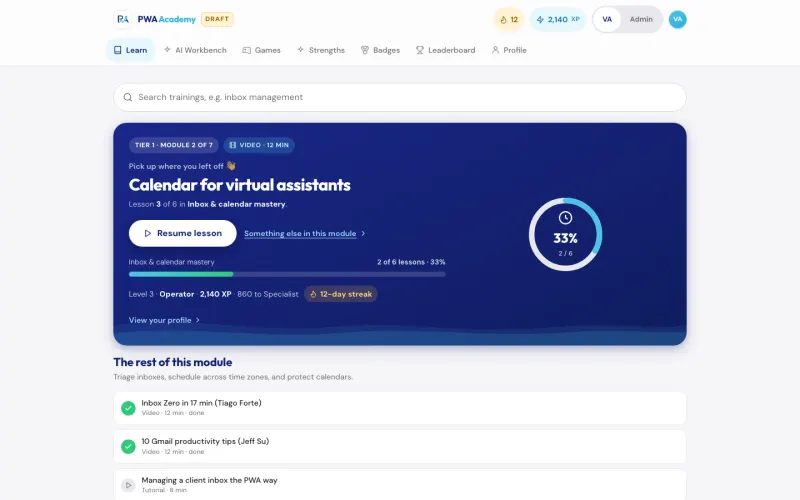
The training portal we built for our virtual assistants, from their first ten hours of onboarding to Tier 4, our most senior level, with a quiz and a graded task in every module.
See the screenshots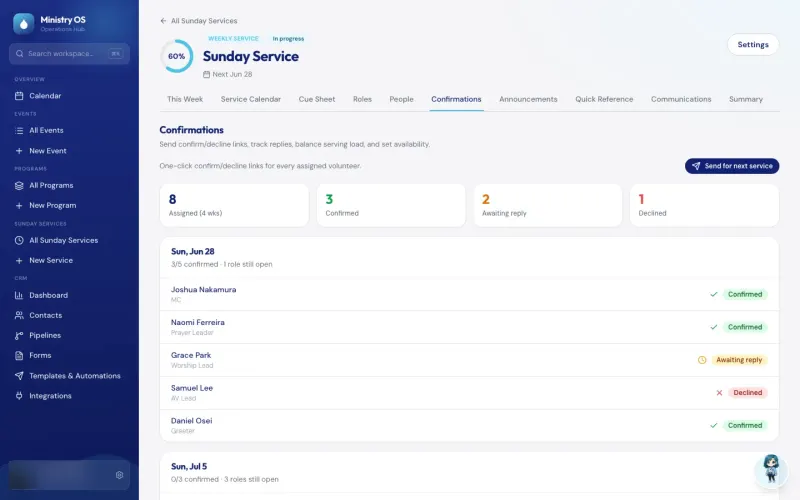
Ministry OS
Plan events, programs and Sunday services in one app instead of separate spreadsheets, with an AI coach for new plans and a link that lets volunteers claim an open MC or prayer leader slot.
See the screenshots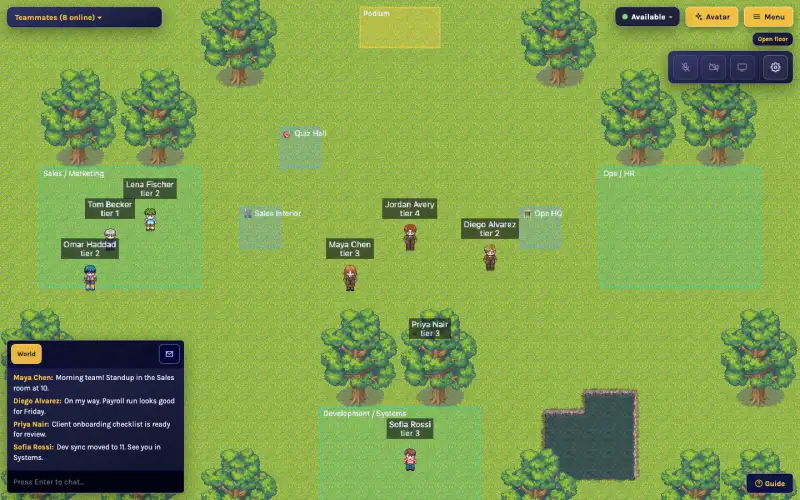
VA World
An online office we built for our remote assistants, where walking up to a teammate starts a video chat.
See the screenshotsMove hiring, tasks and payroll out of a slow spreadsheet
Show us the spreadsheet your team uses for hiring, tasks or hours, and we will talk through what an app could replace.
The assessment is free, with no commitment.
- Email purewaterva58@gmail.com
- Call +1 908 357 7801