AI-assisted video editing Video Core
Send in a recording and get back suggested cuts for filler words, long silences and bad takes. In our team console, one click accepts them all, and the original is kept.
The assessment is free, with no commitment. You answer about 15 questions and pick a time, or call +1 908 357 7801.
- 1UploadA recording comes in
- 2TranscribeEvery word, with its timing
- 3DetectFiller words, silences, bad takes
- 4PlanSuggested cuts to review
- 5AcceptSomeone accepts the cuts
- 6SaveA new MP4 or an edit list
About Video Core
Our team tightens screen recordings in the VA Management Console with Video Core, a video-editing service Pure Water Automations built. It writes out what was said, suggests cuts for filler words, long silences and bad takes, and leaves the original recording untouched.
Why we built Video Core
Our team records screen walkthroughs for clients in the VA Management Console, and we wanted the long pauses and filler words gone before a client watches.
How Video Core works
Video Core writes out every word of a recording with the moment it was said. Each suggested cut shows where it falls in the video and why it was flagged.
In our VA Management Console, a team member clicks Auto enhance on a screen recording, and Video Core takes out the filler words and long pauses it finds, accepting every cut at once. We tested Auto enhance on one of our own recordings and set it to shorten only pauses of two seconds or more, so the natural breaks between sentences stay in.
What Video Core does
The original is never changed
Every edit is saved as a new file. Each suggested cut can be accepted or rejected on its own, and our console accepts them all in one click.
Filler words, silences and bad takes
Suggested cuts for filler words, long silences and repeated or bad takes, plus the points where the scene changes.
Ordinary words left alone
Everyday words like 'so' and 'like' are only cut when someone says them over and over.
A finished video or an edit list
Get a trimmed MP4, or an edit list a video editor can open in their own software.
Questions about Video Core
Does Video Core add captions, titles or effects?
No. Video Core only trims, and a video editor adds captions, titles and effects afterwards.
Does a person approve the cuts?
Yes, all at once. Clicking Auto enhance accepts every suggested cut, and there is no cut-by-cut review screen yet. The original recording is kept.
Technical details
- TypeScript
- ffmpeg
- AssemblyAI
- PostgreSQL
Related work
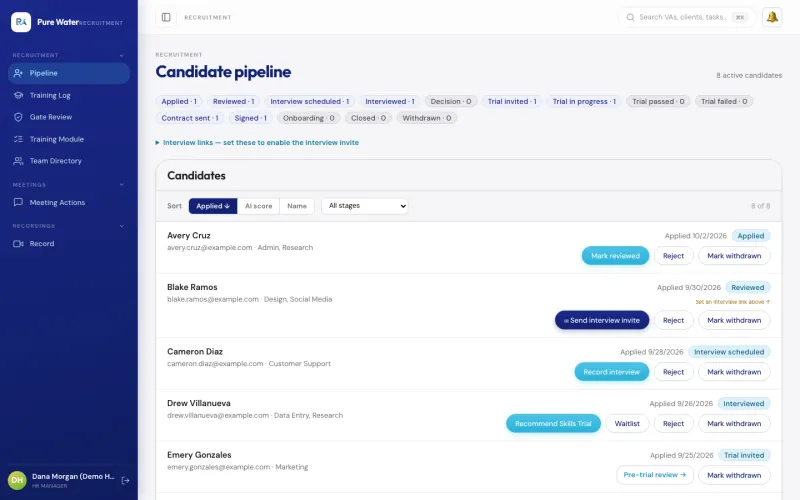
VA Management Console
The app our own virtual assistant team uses for hiring a new assistant, assigning tasks, tracking hours and running payroll.
See the screenshotsEmail Core
The email service some of our apps send through, including Ministry OS when no Gmail account is connected. It skips anyone who unsubscribed, won't send a retried email twice and holds big campaigns for a person to approve.
See how it worksTake the long pauses out of your class and meeting recordings
Name what your team records each week, such as sermons, classes or meetings, and who trims those recordings now.
The assessment is free, with no commitment.
- Email purewaterva58@gmail.com
- Call +1 908 357 7801