Church attendance app Rollcall
Take Sunday attendance on a phone, or photograph the paper sign-in sheet, and the names land in the Google Sheet your community already keeps.
The assessment is free, with no commitment. You answer about 15 questions and pick a time, or call +1 908 357 7801.
About Rollcall
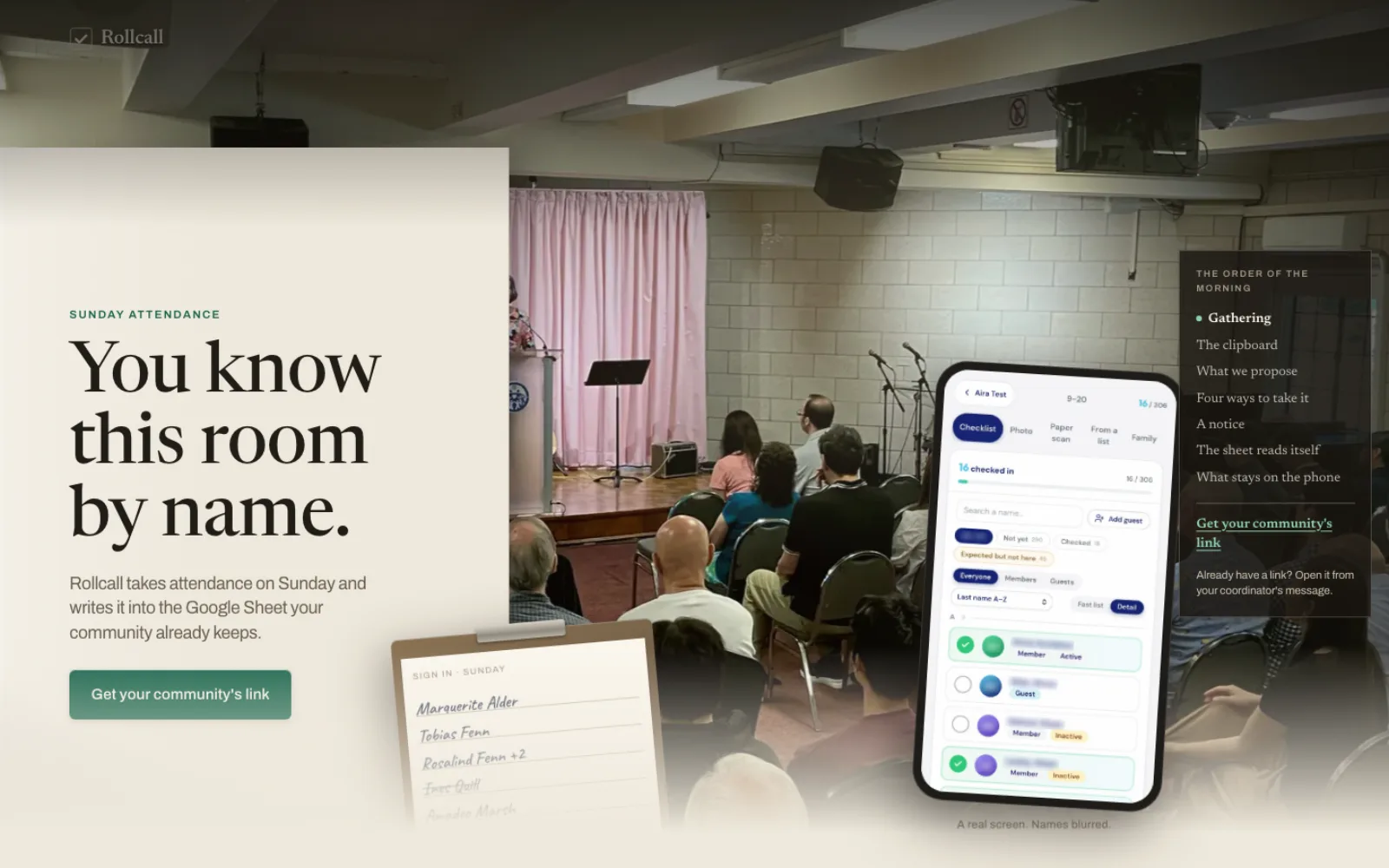
Leaders take Sunday attendance on a phone with Rollcall, an attendance app Pure Water Automations built for churches and community groups. They check people in by checklist, by family, by photo roll call or from a photo of the paper sign-in sheet. The roster and attendance stay in the community's own Google Sheet, and each community opens its own link with a PIN.
Why we built Rollcall
The communities Rollcall serves already keep their roster and Sunday attendance in a Google Sheet, and some still start the morning with a handwritten sign-in sheet. They wanted to take attendance on a phone and still have every name written to that sheet, without taking on the full Ministry OS platform.
How Rollcall works
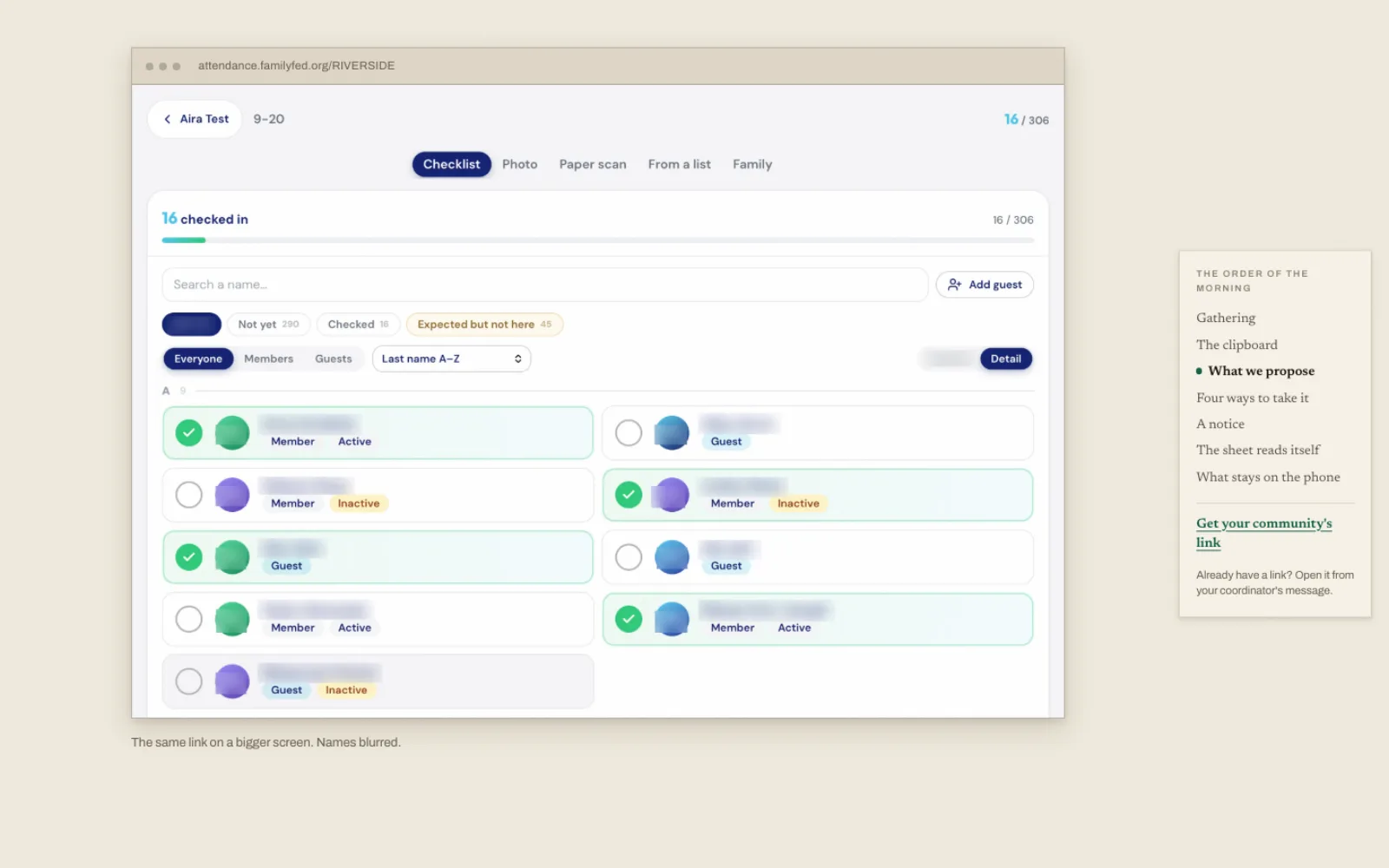
Each community gets its own link and a PIN, so nobody has to create an account. Whoever is taking attendance opens the link on a phone or a larger screen, types the PIN and starts checking people in.
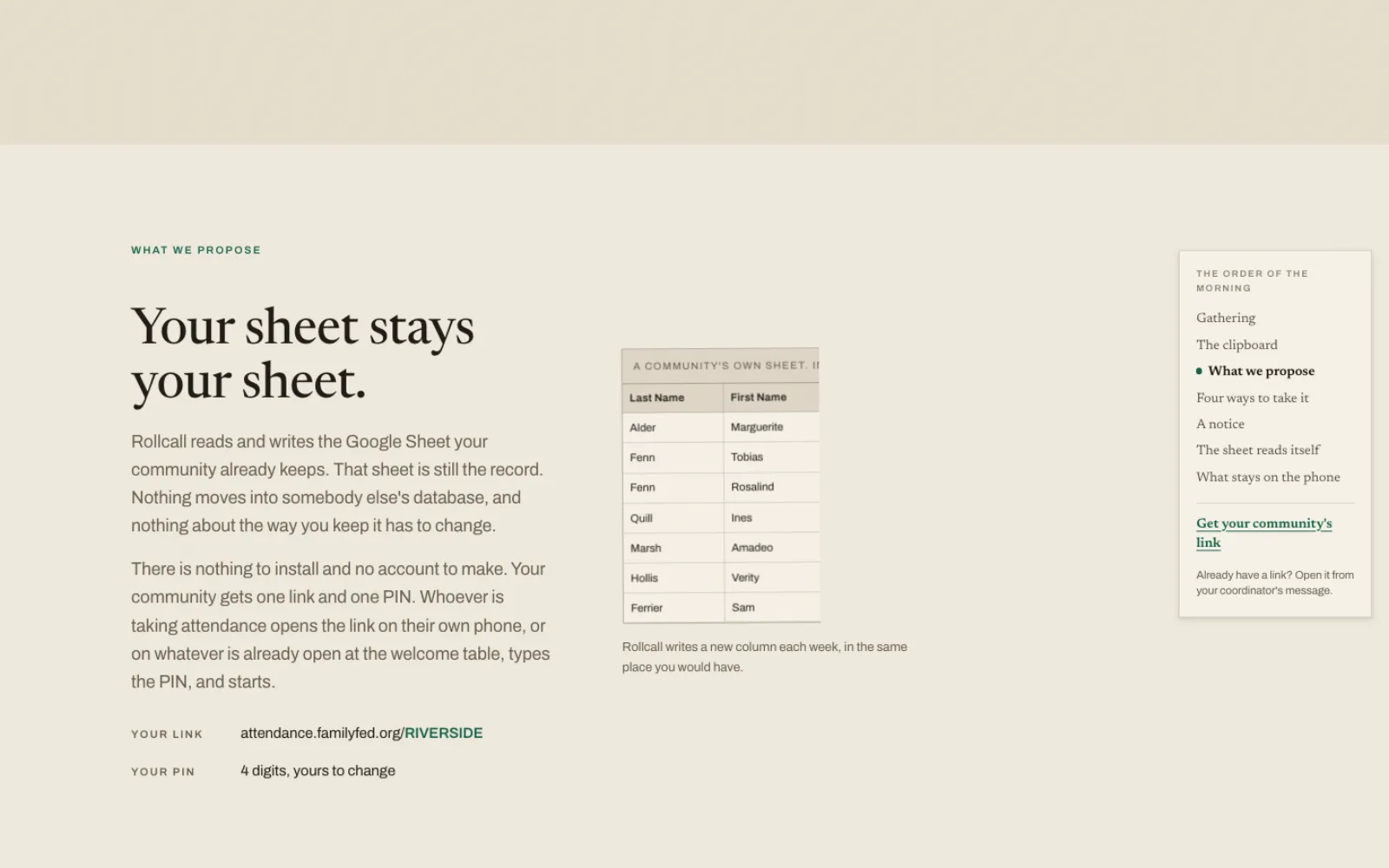
Every check-in is written back to the community's Google Sheet, which stays the official record. Rollcall's own records hold only what the sheet has no place for, such as when and how each person was checked in and the face data from photo roll call.
Rollcall is an attendance-only spin-off of Ministry OS, our full ministry platform. The two run separately and share no data. Adding a community takes a row in our list of communities and sharing that community's Google Sheet with Rollcall. Its link works as soon as both are done.
What Rollcall does
Checklist and family check-in
Tap each name on the roster, or check in a whole family at once.
Photo roll call
Take photos of the group. Rollcall finds each face and suggests a name for anyone confirmed in an earlier photo roll call. You confirm each match or pick the name yourself, and the matching happens on the phone.
Paper sign-in sheet to names
Photograph the handwritten sheet. Rollcall reads the names and suggests the closest roster match it can find. You review the list, pick the right person, add guests or skip names, and confirm before anyone is checked in.
The sheet is the record
Roster and attendance both live in the community's own Google Sheet, with each gathering added as a new date column.
Guests added at the door
Add a guest during check-in and Rollcall writes a new row for them in the sheet.
Questions about Rollcall
Does Rollcall work with the attendance sheet we already keep?
Yes. Rollcall reads and writes your community's own Google Sheet, so the roster and attendance stay where they are. If your sheet is laid out very differently from the ones Rollcall already reads, we test it with your layout before your community starts.
What happens to the photos from photo roll call?
The full photos stay on the phone, where the faces are matched. For each person you confirm, Rollcall keeps face measurements and one small cropped picture of the face on its own server, so it can suggest that person next time. Nothing else from a photo leaves the phone.
What if Rollcall misreads a name on the paper sheet?
Nothing is checked in until you say so. Rollcall suggests the closest roster match for each name, you pick the right person, add guests or skip names, and confirm the list.
Does everyone taking attendance need an account?
No. Each community has its own link and a PIN. Whoever takes attendance opens the link and types the PIN.
Technical details
- Next.js
- Prisma
- PostgreSQL
- Google Sheets API
- face-api.js
- Gemini 2.5 vision (via OpenRouter)
Related work
Ministry OS
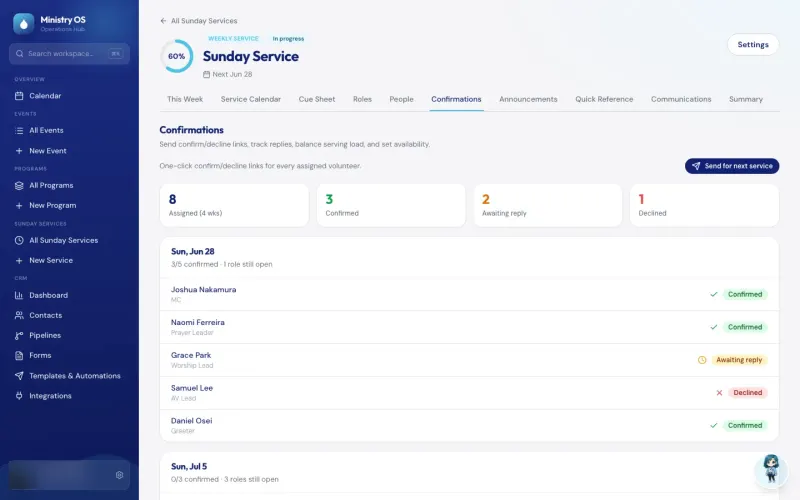
Plan events, programs and Sunday services in one app instead of separate spreadsheets, with an AI coach for new plans and a link that lets volunteers claim an open MC or prayer leader slot.
See the screenshots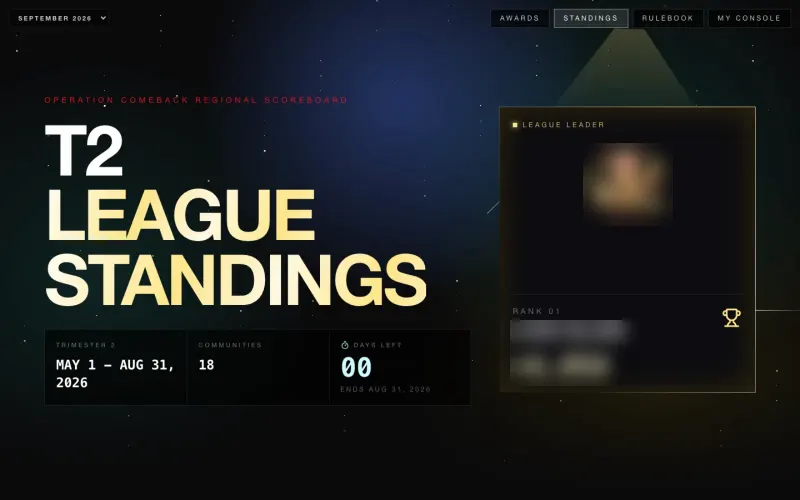
Operation COMEBACK Console
A scoreboard that ranks 18 Northeast church communities from the regional Google Sheet their leaders already update, with a console for each community's pastor.
See the screenshots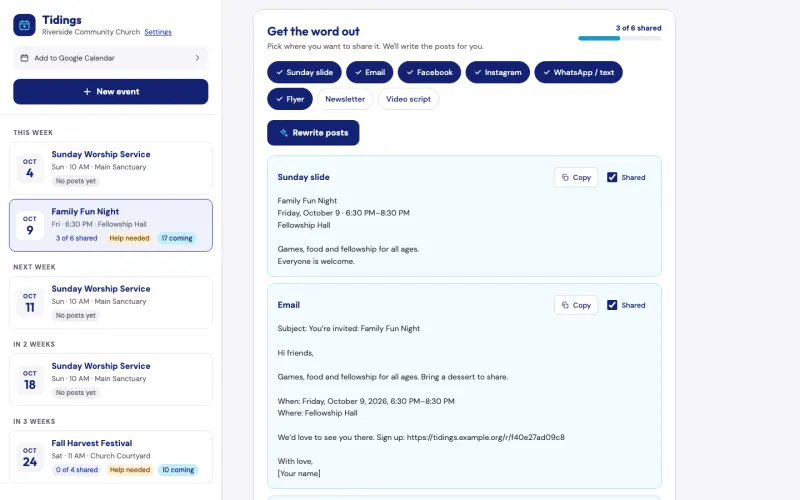
Tidings
Describe a church event once, and Tidings drafts a post for each channel, turns your note to your teams into an email and can add a sign-up page. It is free for pastors, and we can show it to you on the assessment call.
See the screenshotsMove your sign-in sheet onto a phone
Tell us how check-in works in your community, and we will walk you through Rollcall on the call.
The assessment is free, with no commitment.
- Email purewaterva58@gmail.com
- Call +1 908 357 7801