Scheduled tasks with an approval step Automation Engine
Runs routine jobs on a schedule or when another app asks, and its email, WhatsApp and Telegram steps can wait until someone approves the message.
The assessment is free, with no commitment. You answer about 15 questions and pick a time, or call +1 908 357 7801.
- 1StartOn a schedule, on request or from another app
- 2GatherGmail, Google Sheets, Notion or another service
- 3ShapeSort, filter and format what came in
- 4DraftAI writes the first version
- 5ApproveA person can be required to say yes
- 6SendEmail, WhatsApp or Telegram
About Automation Engine
Our team sets up routine jobs in Automation Engine, the workflow system Pure Water Automations built for its own work. A job starts on a schedule, on request or when another app tells it to. It can pull from Gmail, Google Sheets or Notion, have AI draft a first version, wait for a person's approval and send by email, WhatsApp or Telegram.
Why we built Automation Engine
We wanted every routine job built the same way, as a list of steps a person can read, test and switch off, instead of a separate custom program for each task.
How Automation Engine works
Besides sending messages, a job can save its results to a Google Sheet, a Google Doc or a Notion page. One job is built to post in our team's WhatsApp group when a page is ready for someone to test.
A page for our team shows each job as a step-by-step diagram, with a history of its past runs.
What Automation Engine does
Three ways to start a job
A job can run on a schedule, start when another app tells it to, or run when someone asks for it.
Connects to Gmail, Sheets, Notion and WhatsApp
It can also work with Google Calendar, Docs and Drive, send Telegram messages and call other online services.
A person can approve before it sends
The email, WhatsApp and Telegram send steps can each be set to wait in an approval queue until someone says yes.
Checked and tested before it goes live
A new job stays a draft until we switch it on. In a test run, its send and save steps are blocked or simulated instead of carried out.
A record of every run
Each run keeps what every step did, so if something fails we can see where it stopped.
Built with an AI assistant, checked by us
An AI assistant such as Claude or ChatGPT can create, check and test-run a job, and we review the test before it goes live.
Questions about Automation Engine
Will an automation send messages without anyone checking?
Once a job is switched on, it sends on its own unless a step is set to wait. The built-in email, WhatsApp and Telegram send steps can be set to hold every message until someone approves it, and our build guide says to send a job's first results to ourselves before pointing it at real people.
Can you run automations like these for our organization?
Yes. Custom automations are one of our services. Automation Engine keeps each organization's jobs separate from everyone else's, and today it runs only our own team's jobs.
Technical details
- Node
- MCP
- JSON flow graphs
- Cloudflare Access
Related work
Email Core
The email service some of our apps send through, including Ministry OS when no Gmail account is connected. It skips anyone who unsubscribed, won't send a retried email twice and holds big campaigns for a person to approve.
See how it works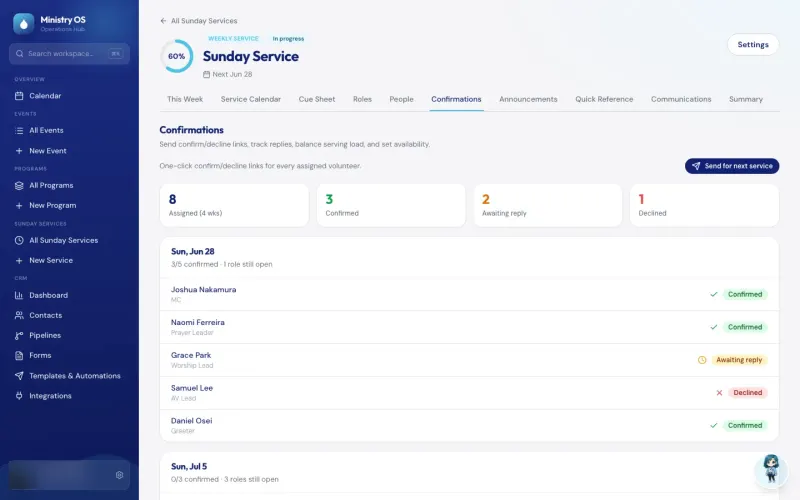
Ministry OS
Plan events, programs and Sunday services in one app instead of separate spreadsheets, with an AI coach for new plans and a link that lets volunteers claim an open MC or prayer leader slot.
See the screenshotsVideo Core
Send in a recording and get back suggested cuts for filler words, long silences and bad takes. In our team console, one click accepts them all, and the original is kept.
See how it worksGet routine messages drafted, then sent once you approve them
Name the job someone on your team copies between email, spreadsheets and Notion every week.
The assessment is free, with no commitment.
- Email purewaterva58@gmail.com
- Call +1 908 357 7801